 Caps Lock Indicator
Know When CAPS LOCK Is ON or OFF
A small utility that solves an annoying keyboard problem. See your Caps Lock status directly on your Windows screen — no more guessing, no more retyping.
downloadable software
Simple to install. Easy to customize. Convenient to use.
Does Any of This Sound Familiar?
The problem isn’t always your keyboard. Sometimes, you simply need a clearer indication on your screen.
No visible Caps Lock light
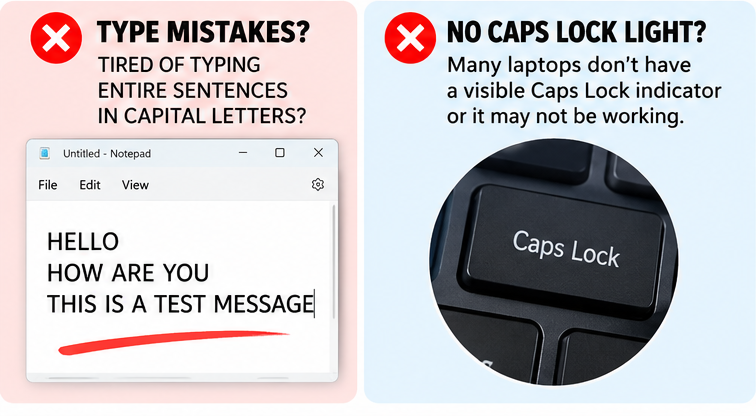
Some laptops don’t have a Caps Lock indicator light in an easy-to-see location. You end up guessing whether Caps Lock is enabled while typing.
Your Caps Lock light isn’t working
Your keyboard can work normally even when its physical indicator isn’t working. Without a visible signal, it’s easy to forget the current keyboard state.
You discover mistakes too late
You type an entire email, document or form, only to realize the text is in the wrong letter case. Now you have to delete, retype or correct your work.
You get locked out of passwords
Passwords are case-sensitive. If Caps Lock is enabled unexpectedly, your password won’t match what you intended to type.
You keep looking down at your keyboard
When you’re focused on your work, repeatedly checking the keyboard interrupts your typing flow.
Customize Your Indicator Your Way
Why settle for a single fixed notification when you can choose how your indicator appears? Your screen. Your style. Your settings.
6 indicator styles
Green dot, square box, taskbar bottom line, taskbar top line, floating “CAPS ON” badge, or a screen edge frame. Pick the one that suits your workflow.
Your color
Prefer green? Blue? Red? Use the color selection option to personalize the indicator so it stands out against your desktop.
Your position
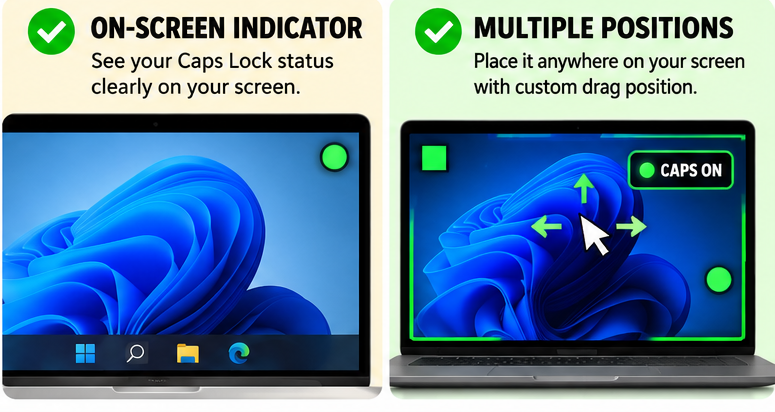
Don’t want the indicator covering your work? Choose a position preset or drag it exactly where you want it on your screen.
Opacity & size
Make the indicator subtle or impossible to miss — adjust the opacity and size to match your preference.
Click-through overlay
The transparent overlay lets mouse clicks pass straight through, so it never blocks the content underneath.
Auto-start, sound & banner
Launch automatically with Windows, get an optional sound alert when Caps Lock toggles, and an on-screen notification banner on every change.

Built for Everyday Typing
How Does It Work?
Getting started is straightforward.
Purchase the software
Complete your purchase for just ₹99.
Download and install
Download the software package and follow the included installation instructions.
Choose your indicator style
Select a green dot, square box, taskbar line, floating badge or another available style.
Customize the appearance
Set your preferred color, screen position, opacity and indicator size.
Enable the features you need
Configure auto-start, the optional sound alert and the notification banner.
Type with confidence
Use the on-screen indicator to check your Caps Lock status while working.
Why Pay More for a Complicated Solution?
You don’t need an elaborate setup just to see your Caps Lock status. One small utility. One honest price.

- All 6 indicator styles
- Custom color, position, opacity & size
- Click-through transparent overlay
- Auto-start with Windows
- Optional sound alert & notification banner
- Installer + uninstaller included
YES! GET MY CAPS LOCK INDICATOR
Download link delivered after payment.
Frequently Asked Questions
What does Caps Lock Indicator do?
Can I use it if my laptop has no Caps Lock light?
Can I use it if my physical Caps Lock light is broken?
Can I change the indicator’s position?
Can I change the color and size?
Does it start automatically?
Does it support sound notifications?
How much does it cost?
Is it a physical product?
Your Keyboard Status Shouldn’t Be a Guess.
Stop relying entirely on a tiny keyboard light. Choose a visible on-screen indicator that fits your screen, your preferences and your workflow.
BUY NOW – ₹99 ONLYNote: This utility provides an on-screen indication of Caps Lock status. It does not repair a faulty physical keyboard light or guarantee that typing errors and password issues will be eliminated.
What users are saying
“My laptop’s Caps Lock light stopped working and I kept typing passwords wrong. This small tool fixed it. The green dot is always on my screen now.”
“Simple and light, it does not slow down my PC. I use the taskbar line style, it looks clean and I always know when Caps Lock is on.”
“I type passwords many times a day in office work. The CAPS ON badge saves me from mistakes. Worth ₹99.”
“Very easy to install and set up. I keep the indicator in the top corner and it starts automatically with Windows.”
“My keyboard has no Caps Lock light at all. The screen-edge indicator is perfect for me. Small software, big help.”